Connect Skoolgrades
Use Skoolgrades inside Claude or ChatGPT. Needs Skoolgrades Pro (your first use starts a free 14-day trial).
Your connector link
https://www.skoolgrades.com/api/mcpClaude
1In Claude, open Customize → Connectors.

2Click + Add → Add custom connector.
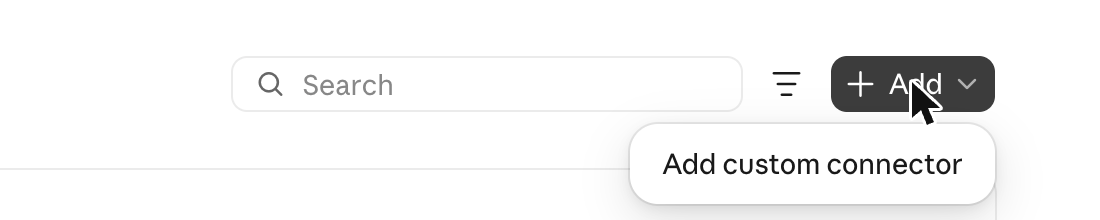
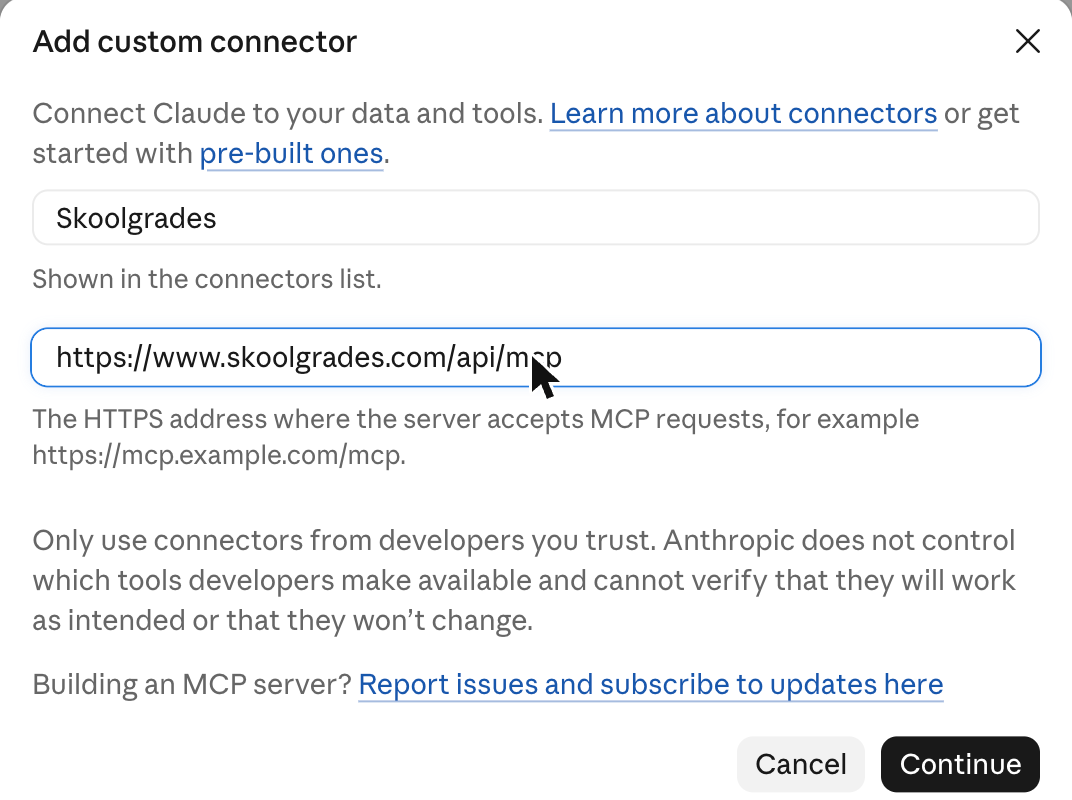
3Name it Skoolgrades, paste the link, click Continue.
4Sign in to Skoolgrades and click Approve.
5Start a new chat and type: “Show me the Skoolgrades menu”.
ChatGPT
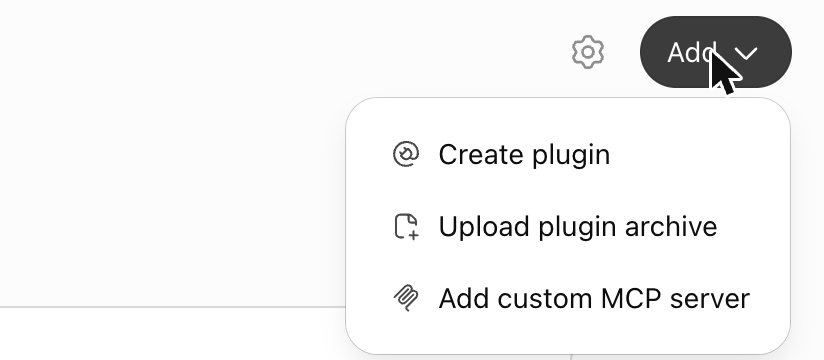
1Go to chatgpt.com/plugins and click Add → Add custom MCP server.
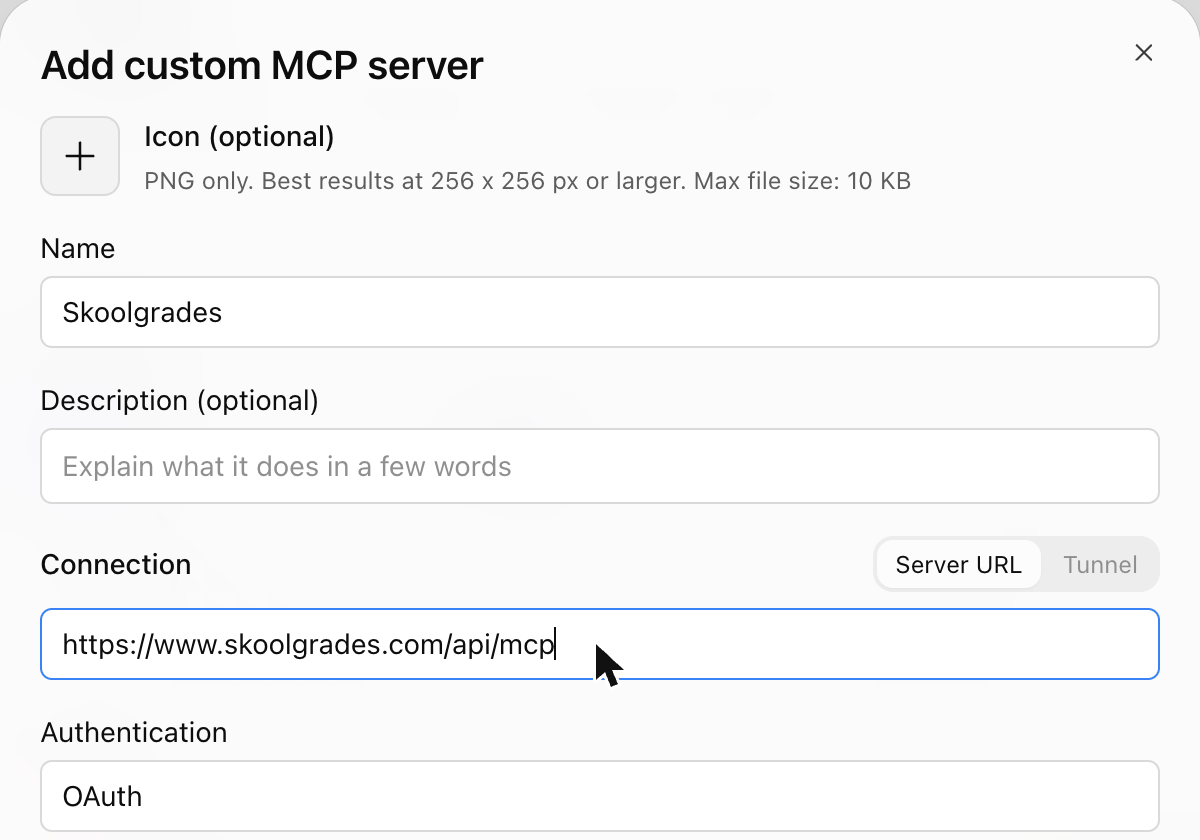
2Name it Skoolgrades and paste the link as the Server URL. Leave Authentication on OAuth.
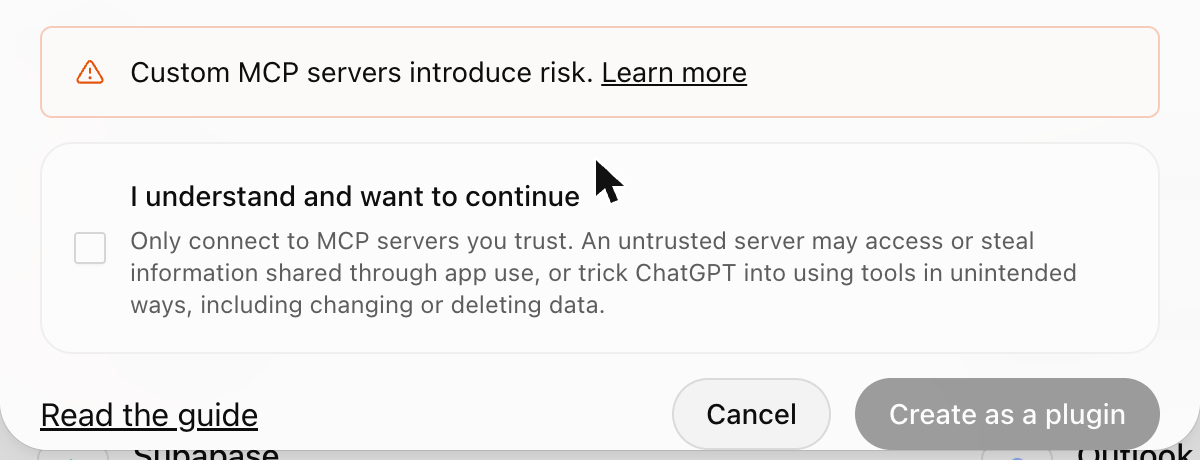
3Tick I understand and want to continue, then Create as a plugin.
4Sign in to Skoolgrades and click Approve.
5Start a new chat and type: “Show me the Skoolgrades menu”.
No card showing? Start a new chat, or disconnect and reconnect Skoolgrades. Help: hello@skoolgrades.com · Privacy